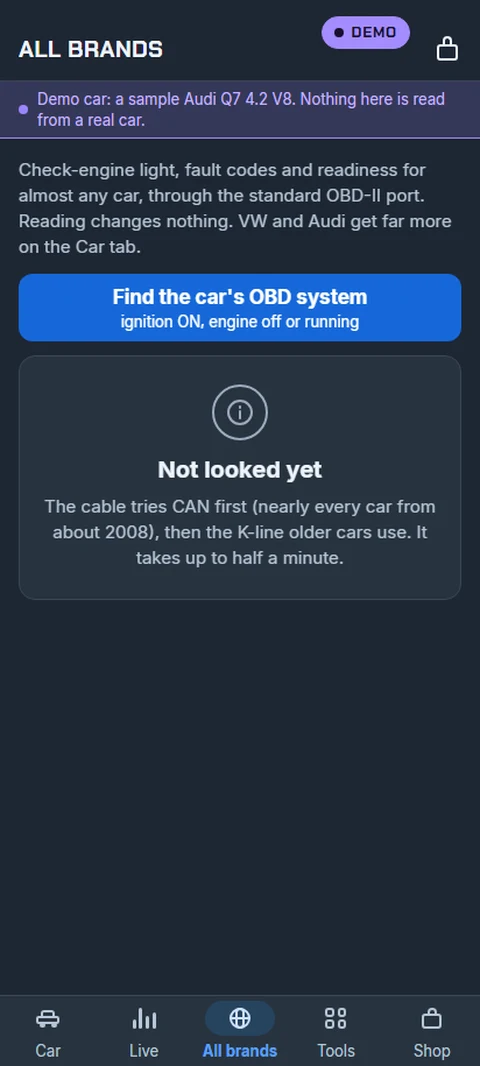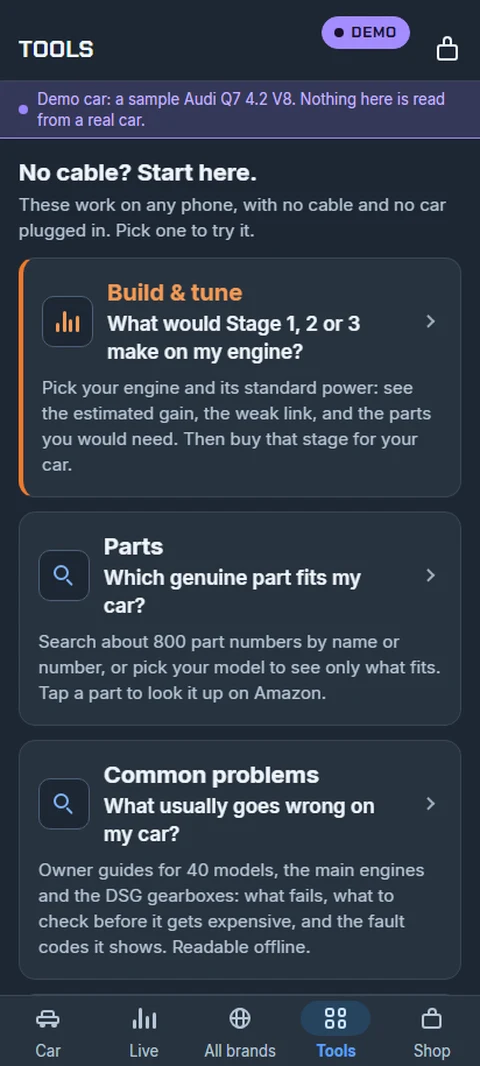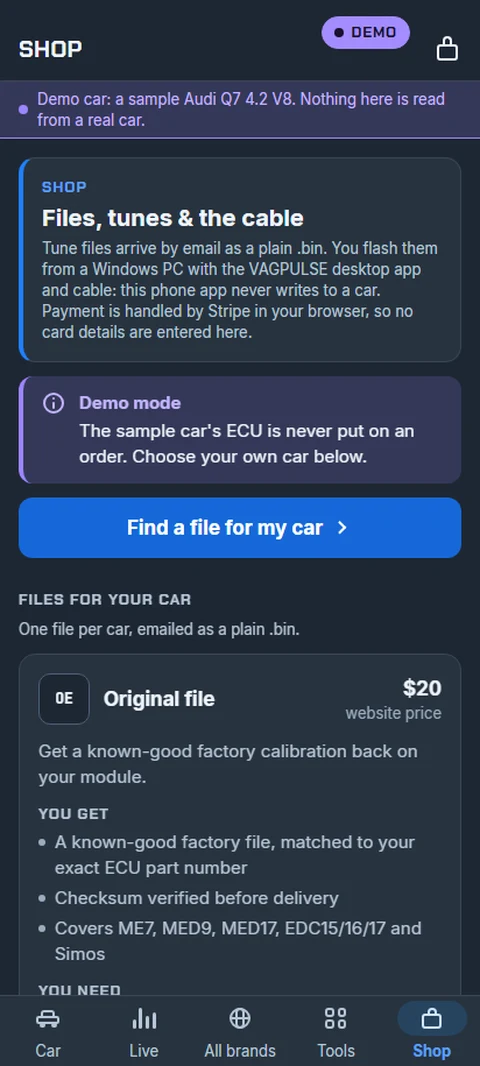
Free download · Android

The car is outside. Your laptop isn't.

The VAGPULSE app puts fault codes, live measuring blocks and datalogging on your phone, talking to the VAGPULSE cable over Bluetooth. No laptop balanced on the passenger seat, no dongle pairing ritual, no subscription.
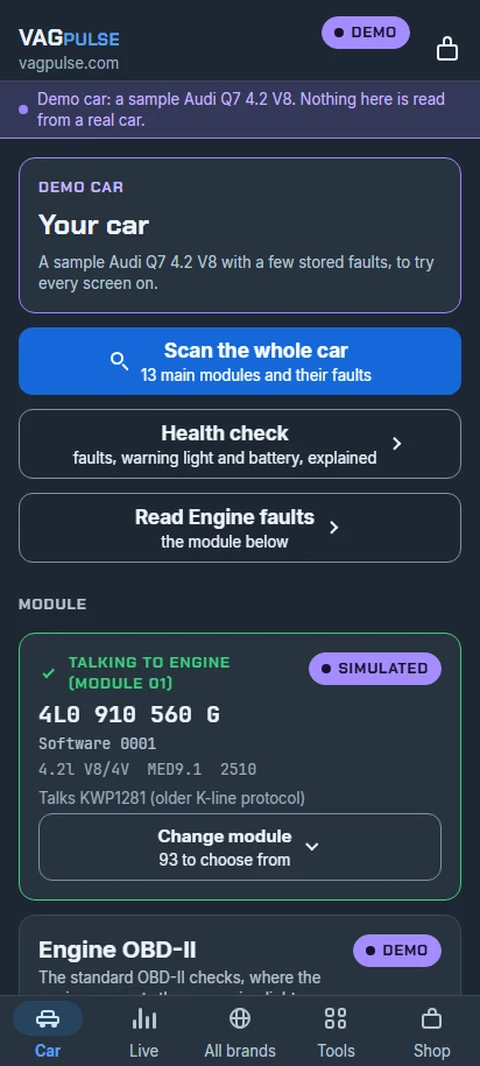
9:41●●● ●
CABLE LINKED

Engine

Pick a module, then choose what to read.

01 Engine 02 Auto Trans 03 ABS/ESP
✓ TALKING TO ENGINE
4L0 910 560 G
4.2l V8/4V MED9.1 2510
KWP2000 / TP2.0
Auto-scanevery module, all faults
Fault codesread this module
Measuring blockslive values & logging
Adaptationsread channels
Saved logsrecord & send to the PC
Read EEPROMread & edit the VIN

This is the home screen

Pick a module along the top and the app tells you straight away whether it is actually talking to it — part number, software level, and which protocol answered. No blank box leaving you to guess whether the cable worked.

From there everything is one tap: auto-scan every module, read this module’s fault codes, watch live measuring blocks, record a log, or read the EEPROM.

Want to see it before you buy? The app has a demo mode — tap Try the demo on the connect screen and the whole app runs against a sample Audi Q7 4.2 FSI V8, with no cable and no car. Exactly what is shown here.
Get the app

Android, version 1.0.14. It installs straight from here — there is no store account to make and nothing to sign up for.

No cable yet? Install it anyway and tap Try the demo. The whole app runs against a sample Audi Q7 4.2 FSI V8 with no hardware at all, so you can see exactly what you are buying.

Download for Android
69 MB · Android 8.0 or newer
1

Tap Download for Android above, on the phone itself.

2

Android will ask whether to allow installs from your browser. Allow it — that prompt is normal for any app installed outside the Play Store.

3

Open the downloaded file and tap Install. If Android says the app is “not seen from this developer before”, tap Install anyway — that notice appears for every app signed with a new key and says nothing about the app itself.

iPhone: not yet — the app is Android only for now.
Checksum (SHA‑256), if you want to verify the download:
0f04e5696d9f914f55e216b9c0685d164900c1f39b5d7f8d656f75b2fc88b730

Fault codes, explained

Every stored code with a real description, not a bare number.
  • Reads and clears fault memory
  • Plain-English text for each code
  • Tap a code to search it for your exact ECU
  • Never invents a clean result — if the read didn't verify, it says so

Live measuring blocks

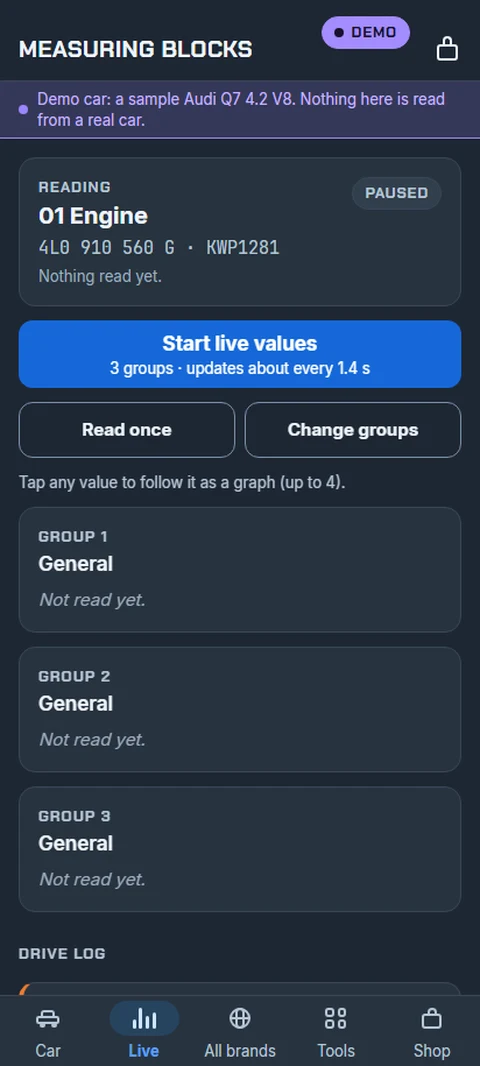
Six blocks on screen at once, with arrows to step through the rest.
  • Boost, lambda, timing, load, temps, duty
  • Six-up grid — see the whole picture
  • Same block numbers as the desktop
  • Works while the car is moving
The one that matters

Datalogging

Record a pull on the phone, analyse it on the desktop.
  • Logs all ten critical channels every time
  • Full pull or a quick sample
  • Saved on the phone, named and listed
  • Send to computer over Wi-Fi in one tap

Identification & EEPROM

Know exactly what is in the car before you touch anything.
  • ECU part number and software level
  • Reads the immobiliser EEPROM
  • Reports what it could not read, honestly
  • Adaptations and auto-scan

Why the app doesn't flash your ECU

Because a phone is the wrong place to do it, and we would rather say so than sell it.

Reads on the phone

Codes, live data, identification, EEPROM, logs.
  • Nothing that can leave the car worse than you found it

Writes on the desktop

Flashing, coding, immobiliser work — over the cable.
  • A write interrupted halfway is how ECUs get bricked
  • A phone call, a screen lock or a dropped Bluetooth link is an interruption
  • So writing lives where the connection is wired and stable
📱 Included · no extra charge

Log it in the car. Tune it at the bench.

Record a pull on the phone, tap Send to computer, and the log lands in the desktop software under Log Files. Open it in the tuning section and you get the analysis, what happened, and what to change — against the map data for your exact ECU. The app comes with the VAGPULSE licence; there is nothing else to buy.

LOG SAVED

What this log captured

2,140 samples · 18 s pull

  • Engine RPM G1.1
  • Throttle / pedal G2.2
  • Boost pressure G11.2
  • Ignition timing G4.2
  • Knock G22.3
  • Lambda / O2 G31.3
  • Air mass G3.2
  • Engine load G22.2
  • Intake air temp G4.4
  • Coolant temp G1.2

Everything the tune advisor needs is in this log.

Questions

Do I need a laptop in the car?

No. The cable runs off the car's 12 V through the OBD port and the phone connects over Bluetooth. Read codes, watch live data, record a log — no computer present.

Which cable?

The VAGPULSE cable, included with the licence. K-line (KWP1281 / KWP2000) and CAN, covering Audi and VW from 1996 onward.

How do logs reach the PC?

Same Wi-Fi, or a hotspot from the phone. Tap Send to computer and it appears under Log Files with a badge.

Is it on Google Play?

The listing is in preparation. Until then the app is supplied directly to licence holders as an Android package.